

 Recharge Account
 Select Payment
The HaiTopUp FAQ says Garena and Steam accounts are currently supported for Delta Force top-up.

Delta Force Top-Up

Best Price

100% Secure

Fast Delivery
 Select Product
60 Coins
S$ 1.22
S$ 1.35
-10%
300 Coins
S$ 5.71
S$ 6.34
-10%

420 Coins
S$ 8
S$ 8.88
-10%

680Coins
S$ 12.14
S$ 13.48
-10%
1280 Coins
S$ 22.86
S$ 25.39
-10%
1680 Coins
S$ 30.32
S$ 33.68
-10%
Total:S$ 0
Price Details
Product Price:S$ 0
Payment Fee:+S$ 0
Total:S$ 0
Product Price:S$ 0
Payment Fee:+S$ 0
Total:S$ 0
Steps For Top Up


How to get your info
Delta Force Delta Coins purchases depend on the account details entered at checkout. Prepare the required information first, then check it again before payment.
Before You Buy
- Delta Force User ID / UID
- email address for the HaiTopUp transaction
- HaiTopUp states the Global version of Delta Force is supported.
- Android, iOS, and PC versions are listed as supported.
- The HaiTopUp FAQ says Garena and Steam accounts are currently supported.
Find Your Delta Force ID
- Launch Delta Force on mobile or PC.
- Log in if prompted.
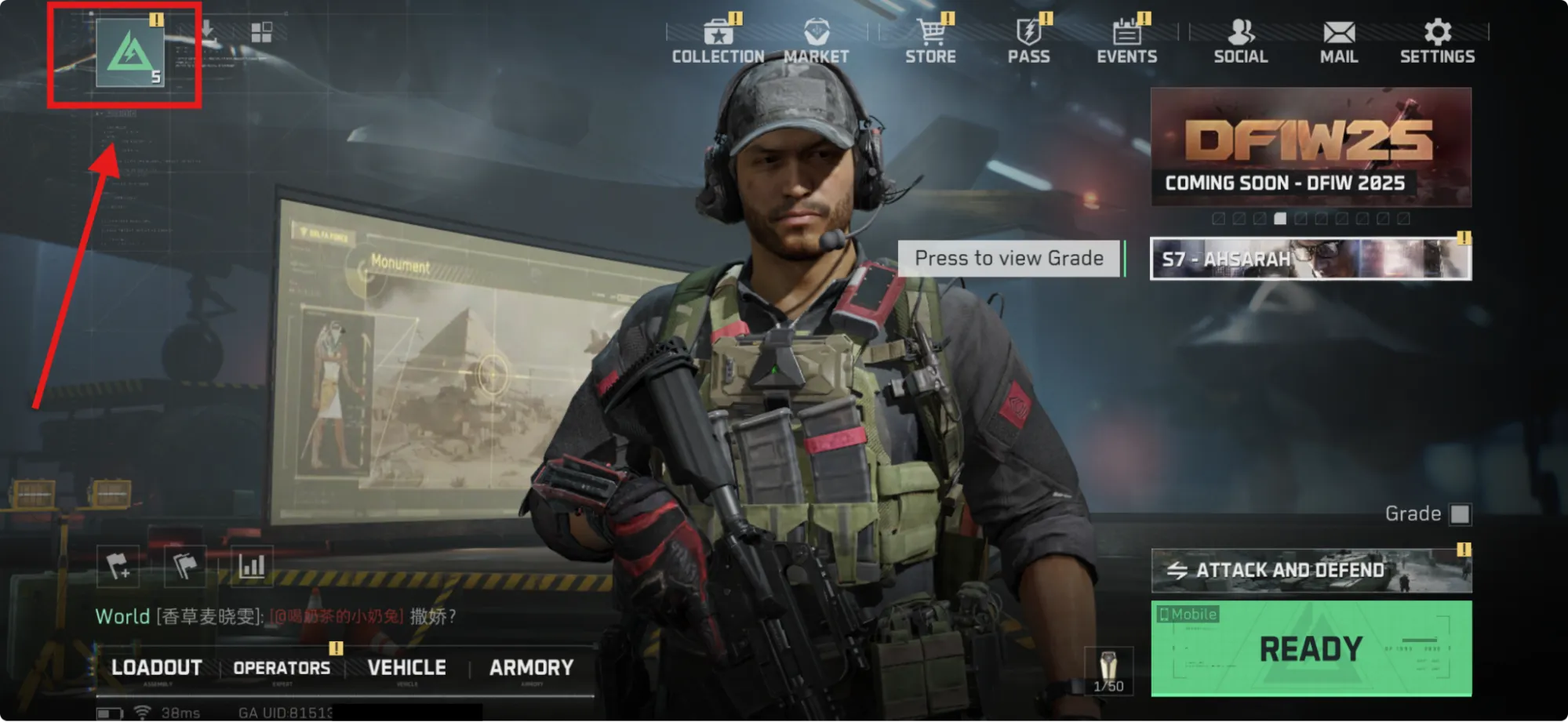
- Open the Character page from the top-left corner of the main interface.
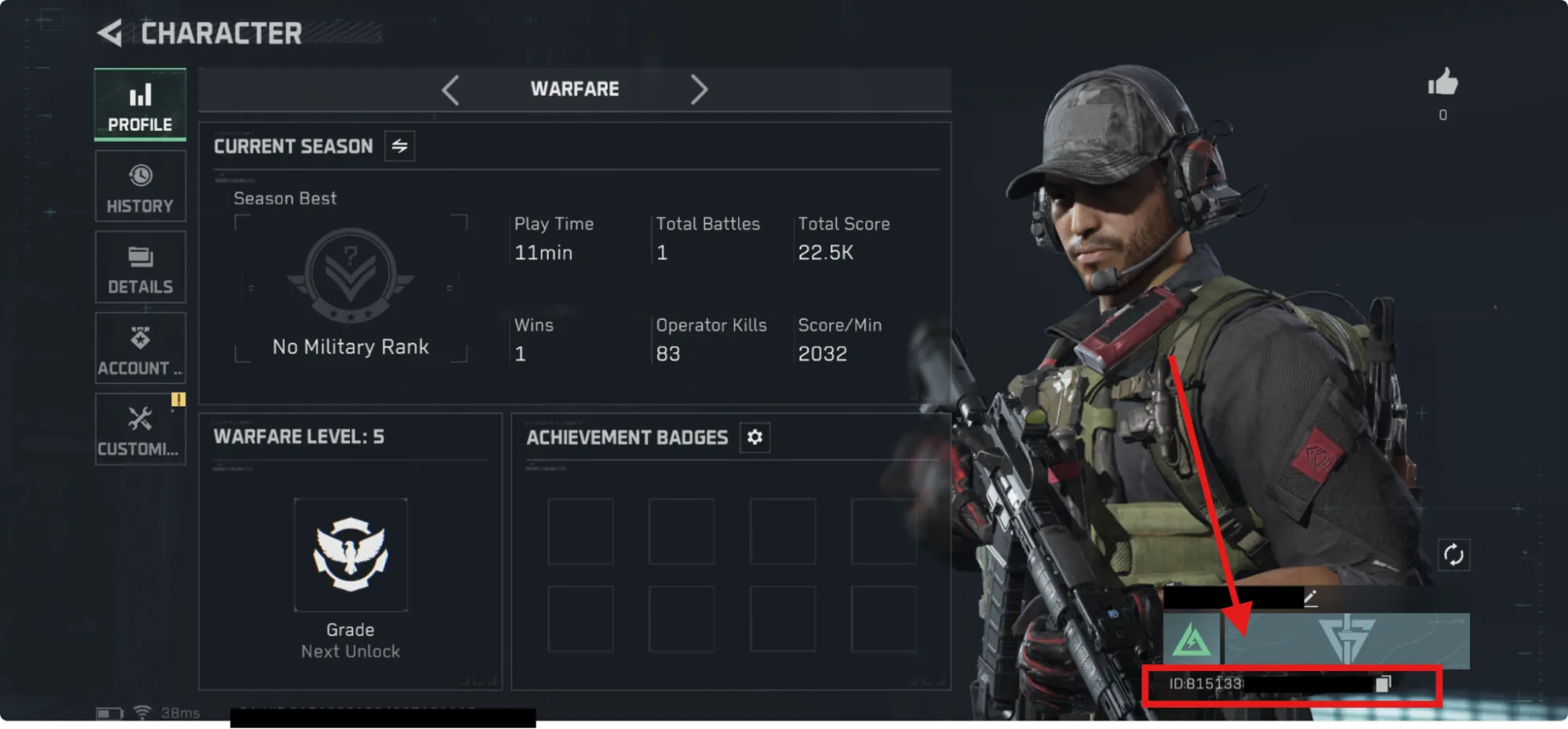
- Look in the bottom-right area of the Character page for the ID number under the username.
Complete the Top-Up
- Choose a Delta Coins denomination.
- Enter the Delta Force UID.
- Enter an email address for the transaction.
- Select a payment method and complete payment.
- Wait for Delta Coins to be delivered to the account.
Notes to Check
- Typos can result in a failed top-up.
- If the wrong ID is entered and delivery is complete, the HaiTopUp page says the order cannot be modified or refunded.
- A new purchase would be required in that case.
- HaiTopUp states Delta Coins are delivered directly to the provided User ID.
- The HaiTopUp FAQ says delivery is normally immediate and usually does not take more than 5 minutes.
Local Payment Method












 Officially Verified Game Top-Up Platform

Official Top-Up Center
We offer direct top-up services from official resellers, ensuring the security of your transactions without any hidden fees.

Fast Delivery
We promise to process your orders in real time and deliver in-game currency or other goods to your account ASAP.

Best Deals
Here, you will have the opportunity to purchase games or services at lower prices than retailers.

Customer Support
Product top-ups are non-refundable and non-returnable. Please fill in your user ID carefully, as no refunds or returns can be made after successful payment. If you have any problems, please email: support@haitopup.com